
Currently, Java 11 is installed on GitHub CodeSpaces and you can’t change that as easily as on your local machine with commands like: Also, setting the JAVA_HOME variable didn’t have an influence on the Java version used. Still java -version gives me the output: The good thing is, that you can force a Java versionContinue reading “Use Java 8 within GitHub CodeSpaces”
Category Archives: Uncategorized
“terraform” will damage your computer. You should move it to Bin.
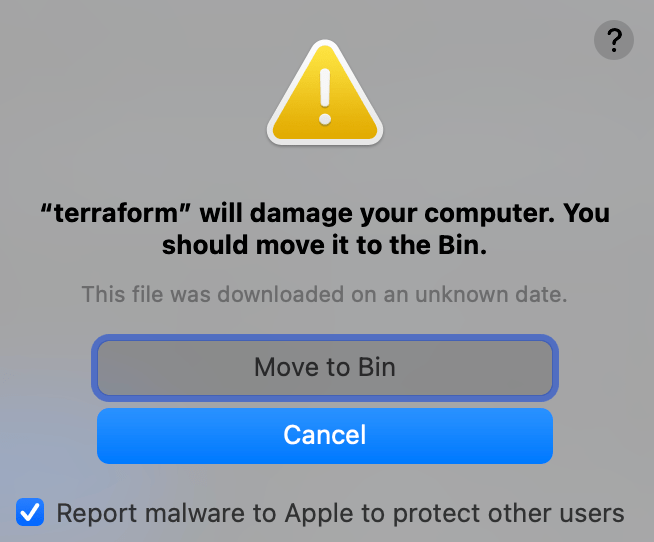
Not the best warning my MacBook showed yesterday, refusing to run terraform init on the just-cloned project. Here’s how I got to the solution of reinstalling Terraform and why it was necessary. Long story short: Delete and reinstall the software (terraform in this case) to use it again with e.g.brew uninstall terraform brew install terraformContinue reading ““terraform” will damage your computer. You should move it to Bin.”
Switch the java version on your mac
You can switch your Java version on your Mac by following these steps: Note: These steps will only set the Java version for the current terminal session. If you want to permanently set the Java version, you will need to add the export command to your shell configuration file (e.g. ~/.bashrc or ~/.zshrc).
How to contribute to the jHipster-generator
1. Fork the repositoryGo on jhipster/generator-jhipster: JHipster is a development platform to quickly generate, develop, & deploy modern web applications & microservice architectures. (github.com) and click on Fork on the right corner on top of the page. 2. Open jHipster in your favorite environment git clone https://github.com/SandraAhlgrimm/generator-jhipster.gitcode generator-hipster or open the repository in GitHub Codespaces.Continue reading “How to contribute to the jHipster-generator”
Change the default setting of Spring Boot JMS Library which uses ReceivedAndDelete for Azure Service Bus to PeekLock
When you’ve followed the documentation https://docs.microsoft.com/azure/service-bus-messaging/message-transfers-locks-settlement or you mastered the free learn module https://docs.microsoft.com/learn/modules/cloud-scale-messaging-with-jms-service-bus/, you might want to go further and change for instance the default behavior for the received messages. That’s how it works: To use the PeekLock mode with JMS, you can set the session mode to CLIENT_ACKNOWLEDGE instead of the default AUTO_ACKNOWLEDGE,Continue reading “Change the default setting of Spring Boot JMS Library which uses ReceivedAndDelete for Azure Service Bus to PeekLock”
Enhance your CORS config for using Github Codespaces
When using Codespaces in your browser, you’ll need to add this CORS policy: allowed-origin-patterns: ‘https?://*.githubpreview.dev‘ Find an example of how to change that in my generated jHipster application: solve CORS error · SandraAhlgrimm/jhipster-sample-devcontainer@e0191f6 (github.com) And to make sure, you won’t have to do that in your next generated project, we added this to the jHipsterContinue reading “Enhance your CORS config for using Github Codespaces”
 ahlgrimm.dev