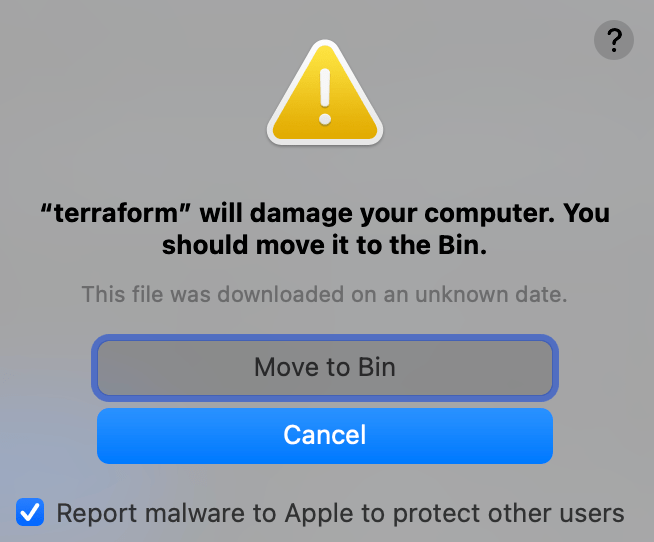
Not the best warning my MacBook showed yesterday, refusing to run terraform init on the just-cloned project. Here’s how I got to the solution of reinstalling Terraform and why it was necessary.
Long story short: Delete and reinstall the software (terraform in this case) to use it again with e.g.brew uninstall terraform brew install terraform
The Long story started with searching on the internet which didn’t get me to the point. Too many malware ads were shown up.
At least, I was clever enough to tweet about it:
And the best William Saar answered a few hours later that he had the same issue and reinstalling to get a new key solved it for him.
As a signing key was exposed in a security breach. HashiCorp had to revoke them in their products, such as Terraform. To receive a new one, the easiest is to reinstall. https://venturebeat.com/business/hashicorp-revoked-private-key-exposed-in-codecov-security-breach/

So if you ever get this issue: "XYZ" will damage your computer. You should move it to Bin.
Simply reinstalling will save your day! – Happy Coding!
 ahlgrimm.dev